Waterpark Simulator Lazy River Update Preview
Community-voted next content—and how to prep your park before it ships.
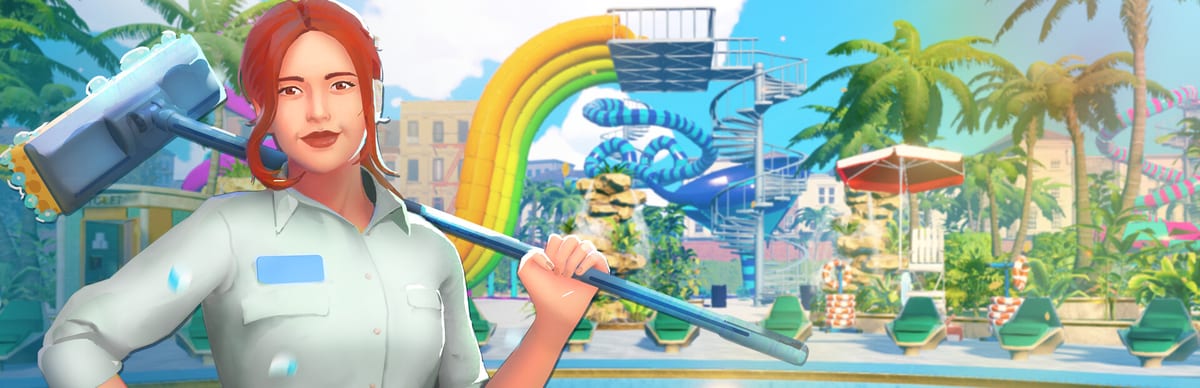
Lazy River won the community vote—here is what that means
Waterpark Simulator by CayPlay Studios launched version 1.0 on July 31, 2026 on Steam, PlayStation 5, and Xbox Series X|S at $12.99, with online co-op for 2–4 players, custom slides, Beach map space, night mode, diamond rating, security, mascots, and museum-driven theme districts. CayPlay then ran an official community vote for the next major content focus. Lazy River won—making it the confirmed next update direction this wiki tracks as the 1.1-class feature players asked for. Housing and pets placed later in community polling and are not part of this Lazy River scope; do not expect home decoration or pet systems when the river ships.
CayPlay has not announced a public release date for the Lazy River update. This page collects confirmed direction, sensible prep using current Beach and pool systems, and layout habits that will still matter when circulation changes—without inventing unlock tables, exact river dimensions, or a fake calendar.
Read Version 1.0 Overview for the launch baseline, Beach Map Zones for footprint planning, Pool Layout for water circulation thinking, Custom Slides for high-throughput attractions, return to the Updates Hub for the index, and Is It Worth Buying? if you are deciding whether to join before Lazy River lands.
What CayPlay confirmed versus what we are still waiting on
Confirmed or strongly signaled:
- Lazy River was the community vote winner for next update focus
- CayPlay is building toward a Lazy River feature as headline new content after 1.0
- Housing and pets are later community interests—not bundled into the Lazy River beat
- The game remains one product across Steam, PS5, and Xbox Series X|S; Steam Deck players receive the same Steam-side update path when it ships
Not confirmed (and this wiki will not invent):
- Exact release date or version number naming beyond community “1.1” shorthand
- River length caps, research costs, unlock order, or diamond quest hooks
- Whether Lazy River requires a new map band or extends existing Beach frontage
- Final performance targets for Steam Deck—full Deck optimization was still ongoing post-1.0 at launch
Watch Steam news, CayPlay communications, and the official Discord invite linked from Version 1.0 Overview for the first date CayPlay actually posts.
Why Lazy River changes layout thinking
Lazy River attractions in real parks are slow circulation engines: they move guests continuously, spread capacity across long paths, and reshape where food, toilets, and bins must sit. Even without final mechanics, you can prep mentally for three layout shifts Waterpark Simulator parks will likely feel:
Circulation loops get longer. A river is a corridor, not a pool blob. Parks need a spine guests enter, float through, and exit without blocking slide queues or gate return paths. Study loop design in Beach Map Zones now—mid-park cross-paths and inland support bands matter more than shoreline vanity.
Capacity spreads over time. Rivers absorb guests steadily instead of in single splashdown spikes. That can smooth food queues—or hide cheaters on long floats if gate and security habits slip (Tickets and Cheaters).
Cleaning and lifeguard sightlines stretch. Long water paths multiply mop edges, rescue zones, and trash walks. Facing bins on every band becomes non-negotiable (Cleaning Loop).
None of this requires waiting for patch notes to fix today’s bad bin placement.
Prep tips using current 1.0 systems
You can train for Lazy River before CayPlay ships it by mastering Beach and pool discipline on the live build:
- Build one readable circulation spine on Beach with gate, mid-park food, inland toilets, and clear return paths—do not sprawl until ops are stable (Getting Started)
- Split landing water from leisure swimming in Pool Layout so future river exits do not crush casual swimmers
- Practice continuous guest flow with existing slides and pools: watch where queues stall when two attractions share one deck
- Hire cleaners and security before adding a second Beach cluster—rivers will punish the same gaps (Hiring Guide, Security and Mascots)
- Test night lighting on long paths now; river floats at night will need lit exits and overtime planning (Night Mode and Weather)
- Run co-op role splits so gate, mop, food, and patrol stay assigned during long loops (Multiplayer Co-op)
- Save research points for flexibility—this wiki will not invent river unlock costs, but Floor Tool, bins, and pockets still beat vanity on day three (Research Points)
Custom slides remain signature spectacle; Lazy River will likely complement—not replace—tower projects. Keep exit safety habits from Custom Slides and sane landing water from Pool Layout.
Housing, pets, and other future votes
Community polls also surfaced housing and pets as desired fantasies. CayPlay has treated them as later beats, not co-shipping with Lazy River. If you bought Waterpark Simulator for home decoration or pet interactions, know that 1.0 plus the Lazy River update path still centers park operations first. Is It Worth Buying? discusses the current $12.99 package honestly.
Steam Deck players should expect the same feature when it arrives on Steam, but continue using Proton Experimental and realistic park sizing until CayPlay finishes post-1.0 Deck optimization (Steam Deck Controls).
What to do on launch week (when CayPlay posts a date)
When official news finally names a Lazy River release:
- Update the game on your platform and verify files on Steam if props fail to load
- Read patch notes before rebuilding entire Beach spines
- Walk your circulation spine once in daytime, once at night
- Re-test gate scans and bracelet habits—long floats do not forgive cheaters
- Assign co-op roles before inviting friends to a “river only” screenshot session
- Revisit Updates Hub and diamond goals in Stars and Diamond Rating if new quests appear—only after official text confirms them
Until then, treat Lazy River as confirmed direction, not a dated preorder promise.
Related reading while you wait
- Version 1.0 Overview — launch systems Lazy River will extend
- Beach Map Zones — where a river loop likely anchors
- Pool Layout — water circulation habits
- Custom Slides — throughput without killing exits
- Special Events — crowd spikes that test any new path
- Tools Hub — planners for open-day checklists
Lazy River is the community’s chosen next chapter—promising slower spectacle, longer circulation, and fresh layout puzzles on the Beach map you already own. Prep with strong gate, cleaning, and spine design today; follow CayPlay for the real date tomorrow. Return to the Updates Hub whenever official news drops.
Frequently Asked Questions
Quick answers to the most common questions.
Is Lazy River confirmed for Waterpark Simulator?
Yes. Lazy River won CayPlay's official community vote as the next major content focus after the 1.0 launch.
When does the Lazy River update release?
CayPlay has not announced a public release date. Watch Steam news and official CayPlay channels—this wiki will not invent a calendar.
Are housing and pets part of the Lazy River update?
No. Housing and pets ranked later in community polling and are expected after the Lazy River beat, not bundled with it.
How should I prepare my park before Lazy River ships?
Build a readable Beach circulation spine, split landing and leisure pools, facing bins on every band, and stable gate and cleaning loops using current 1.0 systems.
Will Lazy River change Beach map layout strategy?
Likely yes. Rivers emphasize long circulation loops, stretched sightlines, and continuous guest flow—skills you can practice now with pool and zone planning.
Does Lazy River come to consoles and Steam Deck?
Expect the same headline feature across Steam, PS5, and Xbox when CayPlay ships it. Steam Deck uses the Steam update path; Deck optimization may still evolve post-1.0.