Waterpark Simulator Original City Lot vs Beach Map
Pick your 1.0 canvas at save creation—layouts do not migrate between templates.
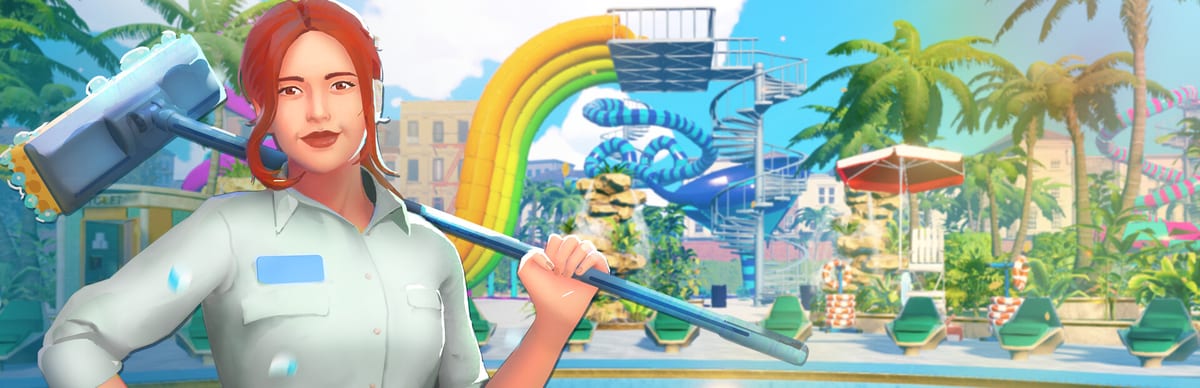
Two maps, one decision at save creation
Waterpark Simulator by CayPlay Studios ships version 1.0 (July 31, 2026) on Steam, PlayStation 5, and Xbox Series X|S at $12.99 with two distinct starting footprints: the original city lot—the cramped Early Access-style starter pad—and the Beach map, a shoreline template selectable from day one on new saves. You choose the map when you create a file, alongside difficulty in Difficulty Modes. Old starter layouts do not migrate into Beach mid-campaign; switching templates means a new save. This page compares both maps so you pick the right canvas before you sink hours into gate loops, custom slides, and diamond quests.
Read Version 1.0 for the full launch feature list, then use Getting Started for opening-day habits regardless of which map you pick. Once you commit to Beach, continue to Beach Map Zones for district planning.
Original city lot: tight ops school
The original map keeps you close to the street-facing gate. Walking distances stay short, which makes early ticket selling, food restock, mop routes, and first hires easier to learn. Pool clusters sit inland from a city backdrop rather than open sand, so your first Pool Layout exercises focus on compact loops: entrance → booth → one wet attraction → toilets → food within a few steps.
That tight footprint is ideal when you want to master systems before distance multiplies every chore. Normal and Easy players often start here to learn bracelets, slide passes, and bin facing without Beach sprawl punishing every forgotten puddle. Hard mode veterans sometimes still open a city save first—see Hard Mode Guide—because payroll bites faster when you cannot reach a breakdown across a wide boardwalk.
Limitations are real: slide runways are shorter, prestige photo zones feel cramped, and expansion hits physical walls sooner. You will outgrow the lot if your goal is ocean-front spectacle, six-figure guest screenshots, or long custom slide towers from Custom Slides. Treat the city lot as a training ground or a deliberate minimalist challenge, not the endgame canvas 1.0 marketing highlights.
Beach map: shoreline from the first click
At 1.0, Beach is selectable at save creation—you do not need to unlock it through stars on an old file. New Beach saves begin with shoreline fantasy: wider decks, sand-facing views, and room for ocean slide landings where splashdowns can face the horizon instead of a brick wall. That space supports the creative systems 1.0 shipped—custom paths, night mode, security routes, and theme districts—but it also multiplies walk time for food, trash, repairs, and rescue throws.
Beach progression typically runs through six beachfront expansions that claim additional sand-facing pads. Each unlock adds capacity and spectacle at the cost of longer staff paths and more bins to face correctly. Players who expand all six before cleaning loops stabilize often photograph beautifully and review poorly. Plan expansions one district at a time using the checklist mindset in Beach Map Zones.
Ocean-themed landings and leisure pools read naturally on Beach frontage. Inland support—toilets, storage shortcuts, repair access—still belongs off the main spectacle path so cleaners are not hiking the entire shoreline every mop lap. Cross-check construction rules in Pool Layout and exit safety in Custom Slides before you chain towers along the surf line.
Why old saves cannot become Beach
Version 1.0 treats map template and difficulty as creation-time locks. An Early Access city save keeps its footprint; you cannot import that layout into the Beach template mid-campaign. If your friends want co-op on Beach or your Hard achievement run needs shoreline distance, start a new file with Beach selected at the menu. Difficulty and map choice should be planned together: Easy Beach for co-op screenshots, Normal Beach for diamond-era goals, Hard Beach only when gate and mop loops feel automatic on a smaller pad first.
This is not a punishment—it prevents broken pathing when sand geometry, expansion nodes, and spawn points differ between templates. Carry habits, not blueprints: ticket discipline, restock timing, and research priorities transfer even when props do not.
When to pick original vs Beach
Pick the original city lot if:
- You are on your first save and want short walks while learning tickets, food, and cleaning
- You are teaching a friend co-op basics before anyone owns a district
- You enjoy minimalist parks or speed-running five-star fundamentals
- You plan to start Hard later and want a smaller payroll laboratory first
Pick Beach if:
- You want 1.0’s headline shoreline fantasy from hour one
- Custom slides and long runways are the reason you bought the game
- You are planning co-op role splits with distinct zones (beachfront, mid-park, inland)
- You accept longer chores in exchange for prestige screenshots and six-expansion growth
If you are unsure, Normal on the city lot for one stable week, then spin a Normal Beach save when gate accuracy feels boring. Sandbox remains available for layout tests that do not need achievement tracking—details in Difficulty Modes.
Shared systems on both maps
Both templates share the same 1.0 ops stack: online co-op for 2–4 players, Mafia loans, security, mascots, museum theme quests, night overtime, and diamond rating above five stars. Map choice does not disable achievements on Normal or Hard. What changes is distance and expansion pacing—Beach rewards players who already understand food, bins, and staffing from Getting Started.
Hard Beach runs stretch every route; read Hard Mode Guide before you combine the harshest economy with the widest footprint. Easy Beach is valid for families who want sand views without bankruptcy stress, remembering Easy typically disables Steam achievements.
Map choice checklist
- Decide difficulty and achievements first (Difficulty Modes)
- Pick city lot if walks should stay short while learning
- Pick Beach if shoreline space is the point of the save
- Accept that switching maps requires a new file—no layout migration
- On Beach, claim one beachfront district before chasing all six expansions
- Build ocean landings with safe exits (Custom Slides)
- Keep inland support loops short even when the view faces sand (Pool Layout)
- Re-read Version 1.0 when patch notes change creation menus
- Zone the shoreline in Beach Map Zones after ops stabilize
- Return to the Map Hub for themes and night mode once the template fits your hands
Choosing original versus Beach is choosing how much walking tax you pay for spectacle. Both maps can reach diamond prestige when operations—not footprint—lead decisions.
Frequently Asked Questions
Quick answers to the most common questions.
Can I move my old city save to the Beach map?
No. Map template is locked at save creation. Beach requires a new file; props and layouts from an old starter lot do not migrate.
Is the Beach map available from the start in 1.0?
Yes. Beach is selectable when you create a new save at 1.0—you do not need to unlock it on an existing city file first.
How many Beach expansions are there?
Players typically progress through six beachfront expansion pads. Claim them one district at a time so cleaning and food keep up.
Which map is better for beginners?
The original city lot keeps walks short while you learn tickets and mops. Beach is fine for beginners who accept longer chores from hour one.
Does Hard mode work on both maps?
Yes. Hard is chosen at save creation on either template. Hard Beach is especially punishing—learn ops on a smaller pad first.
Where do ocean slide landings fit on Beach?
Beach frontage suits horizon-facing splashdowns, but exits still need deep water and clear walk-offs. See Custom Slides and Pool Layout before building.