Waterpark Simulator When to Grow Your Park
Choosing original lot or Beach, planning foot traffic, and spending on diamond footprint the right way.
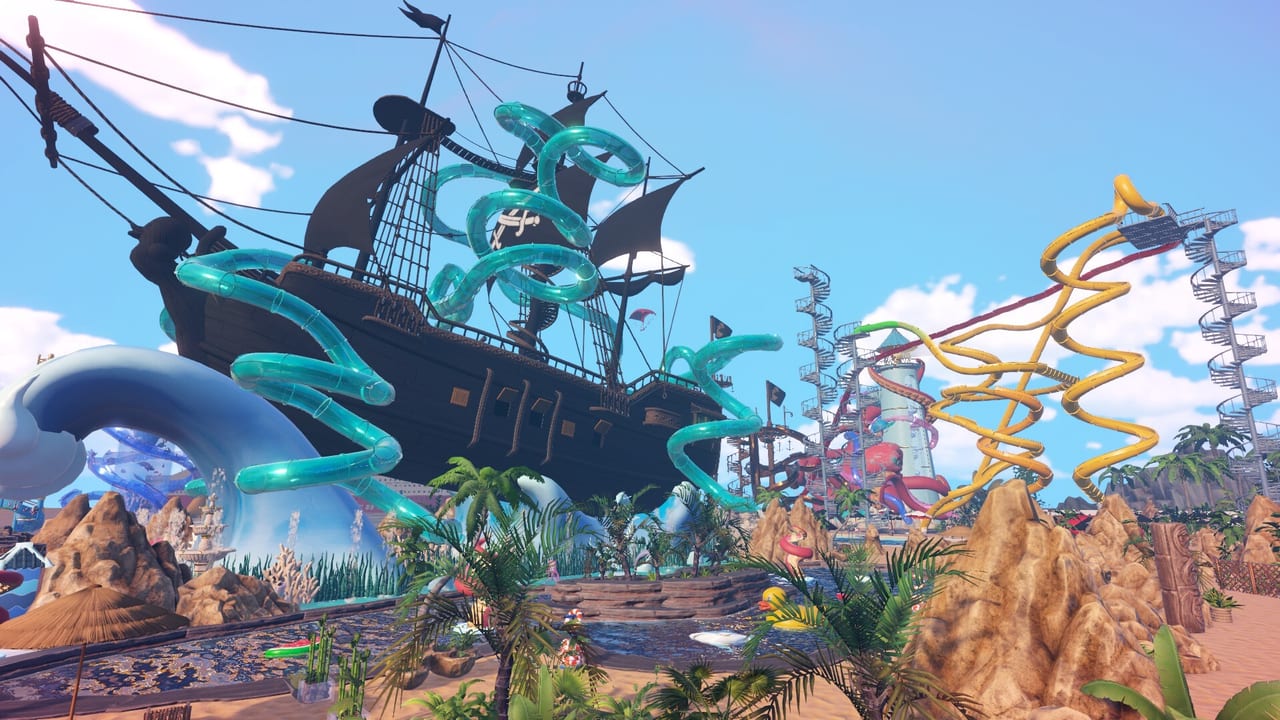
Why expansion is a strategy, not an impulse
Waterpark Simulator by CayPlay Studios left Early Access with version 1.0 on July 31, 2026 on Steam, PlayStation 5, and Xbox Series X|S at $12.99. Online co-op for 2–4 players, custom slides, the Beach map, optional night mode with overtime, diamond rating, security, mascots, and Ocean / Aztec / Pirate themes all multiply the cost of every square meter you claim. Most failed parks do not fail because of decoration; they fail because they expanded before traffic, trash, and tickets could carry the new footprint.
This page is the strategic layer above Custom Slides and Pool Layout. Use it when your current park feels cramped but you are not sure which direction to grow.
Decide between Original and Beach first
Both maps are selectable at game start, so the decision happens before you commit a save. The two maps are not interchangeable; layouts do not migrate between them.
Original (city) lot advantages:
- Tighter footprint, shorter guest walks.
- Faster service loops for cleaners, lifeguards, and food vendors.
- Easier to maintain near-perfect cleanliness in the opening week.
Beach map advantages:
- Wider slides, deeper runways, and clear water entries for prestige diving boards.
- More room for themed districts: Ocean, Aztec, Pirate.
- More forgiving for night mode and overtime payroll.
The real trade-off is staff coverage vs creative footprint. The original lot rewards tight ops; Beach rewards ambition. Pick the lot that matches the bottleneck you actually want to fix. Comparison numbers live in Original vs Beach Map.
The four signals that you are ready to expand
Do not expand on a hunch. Wait for at least three of these signals:
- Cash on hand covers two full build passes without new loans. Borrowing to expand is how 1.0 mafia-loan fatigue starts (Money and Loans).
- Tickets and flyers are meeting the morning rush without queue overflow. See Tickets and Cheaters and Marketing Flyers.
- Cleaning loop is stable on the current footprint for at least one full operating cycle. If you are still chasing puddles, expansion will multiply that pressure.
- Star objectives are queued faster than you can clear them. When the next-star checklist stalls, expansion usually does not help. When it disappears too fast, expansion lets you catch up.
If only one signal is green, expand at a small scale: one new slide, one new theme district, one new food stand. Reserve big projects for the day when three or four signals are green at once.
Capacity planning before you expand
A park that works at 200 guests will not necessarily work at 600. Capacity math should cover:
- Lounger count. Lounger logic was tuned in patch 1.0.63; recalculate positions and arrows before adding pool area.
- Life ring coverage. Pre-place rings on new pools before guests arrive; see Lifeguards.
- Bin placement. Recheck facing arrows and yellow coverage cones after every expansion. The arrow direction matters more than the bin count.
- Toilets. Add toilets with pools, never after. A backlog here tanks reviews.
- Food queues. New guests mean new concession demand. Pre-place one extra stand per 200 projected guests.
Run the Star Checklist before turning the expansion on for live guests, and again 30 minutes after.
Theme districts as expansion units
A theme district is the cleanest way to grow without breaking the layout you already trust. Ocean, Aztec, and Pirate each come with signature slide endings that close the visual loop on a satellite cluster.
When expanding a theme district:
- Pick a visible boundary so guests read the new zone as its own neighborhood, not as a prop jungle in the original lot.
- Keep bin arrows facing the new guest flow, not the old lot.
- Add one restroom and one food stand per district; never assume the original lot can stretch.
- Confirm sightlines for lifeguards before adding the slide tower. Long sightlines reduce rescues and complaints.
- Place theme kits last; operational furniture first.
Theme kit advice is in Themes: Ocean, Aztec, Pirate and the museum quest loop lives at Museum and Quests.
Frontage, beachfront, and the sea view trap
Beachfront is gorgeous but expensive. Sea-view loungers pull guests away from inland food and toilet loops, so expand amenities before adding loungers. A safe order is:
- Beachfront path with bins.
- Pool at the inland end of the path.
- Food and toilets behind the pool, away from the sand.
- Then loungers facing the sea.
Doing it in reverse creates dead sand and hungry guests staring at the ocean.
Custom slide footprint
Each custom slide consumes time and money. Plan the slide footprint the same way you plan a building:
- Sketch the splash zone and the exit path before you commit.
- Use Custom Slides to confirm the loop geometry.
- Reserve rescue access. After 1.0.63, lifeguards can reach injured guests further out, but tight placement still prevents it.
- Add a pool nearby. Empty-basin injuries wreck rating more than a missing statue.
Treat each slide as a separate project, not an ornament. Slides earn their keep when they route guests away from the entrance and back into the food loop.
Expansion cadence that survives patches
After every patch (currently through 1.0.63), pause expansion for one park day. Read the patch notes for changes to research costs, staff behavior, or guest pacing. Patch 1.0.30 changed Sandbox unlocks and museum-staff quest completion. Patch 1.0.43 added saboteurs that unplug pools. Patch 1.0.48 disabled staff quitting on Easy/Sandbox. Patch 1.0.63 added custom slide naming and tightened satisfaction scoring. Each of those changes alters which expansion is safe.
The Updates Hub tracks the bullets; the Version 1.0 Overview covers the launch baseline.
Diamond expansion mindset
Diamond rating extends prestige past five stars with new quests, themes, and park-size rewards. Diamond builds reward density that photographs well, not sprawl that photographs big. Three guidelines:
- Replace two mid-sized slide loops with one signature slide + one themed district.
- Keep all operational furniture visible in the screenshot frame; hidden bins tank your “diamond look” when reviewers zoom in.
- Re-run the Star Checklist before committing a diamond build so unfinished quests do not stall the climb.
Combine the diamond mindset with Stars and Diamond Rating and the Prestige Builds page for landmark geometry.
Expansion checklist
- Confirm three of the four readiness signals are green.
- Decide whether you need ops density (original) or creative footprint (Beach).
- Sketch capacity math: loungers, rings, bins, toilets, food.
- Build the theme district boundary, then amenities, then slides, then kits.
- Pause one park day after each patch before the next expansion.
- Re-run the Star Checklist before and 30 minutes after turning the new zone on.
- Snapshot a save slot before the expansion so you can roll back cheaply.
Use Save Management to keep a “pre-expansion” slot in rotation. Park expansion is a routine when it is well planned and a rescue mission when it is not.
Frequently Asked Questions
Quick answers to the most common questions.
Should I pick the original lot or Beach map at 1.0?
Pick the original lot when you want tight ops and short service loops. Pick Beach when you want creative footprint, long slide runs, and themed districts. Layouts do not migrate between the two.
When is the right time to expand my park?
Wait for at least three of these: cash covers two builds, tickets handle the morning rush, cleaning is stable, and star objectives clear quickly. Then expand at small scale first.
Do I need to plan capacity before expanding?
Yes. Recalculate loungers, life rings, bin coverage, toilets, and food stands for the projected guest load before adding a new district or slide.
Can I expand during a patch day?
Avoid it. Pause one park day after each patch to read the bullets, then resume expansion only if research costs, staff behavior, and guest pacing still match your plan.
What is the diamond expansion mindset?
Diamond rewards density that photographs well, not sprawl. Replace two mid-sized loops with one signature slide + one themed district, keep operational furniture visible, and re-run the Star Checklist before committing.
Where can I roll back a bad expansion?
Use the save slot rotation from Save Management: keep one "pre-expansion" slot live so a failed build can be reverted without restarting the park.