Waterpark Simulator Rebind Keys and Fly the Free Camera
Mid-August weekly: remap keyboard binds, F1 drone screenshots, and HUD-off park shots without losing mop muscle memory.
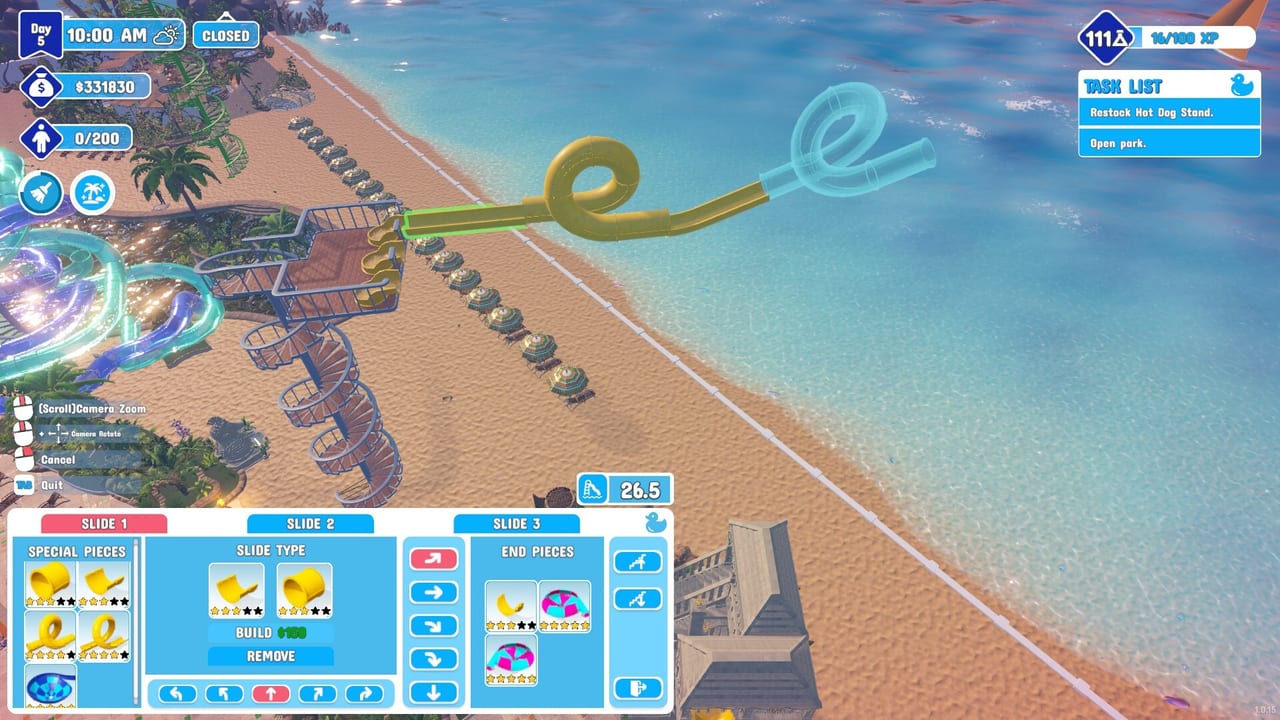
Accessibility finally reached the keyboard
Until mid-August 2026, Waterpark Simulator keyboard players lived with fixed defaults. Steam threads asked for a jump-key reminder and a remap screen; community workarounds lived in Steam Input. CayPlay’s weekly Rebind keys and free cam mode (after Patch 1.0.50, Steam news around August 13, 2026) adds both systems the studio called post-1.0 accessibility work. This page is the practice guide. Official bullets sit on Rebind Keys and Free Cam. Default verbs still live on PC Controls.
Version 1.0 still launched July 31, 2026 on Steam, PlayStation 5, and Xbox Series X|S at $12.99. Rebinding is a keyboard and mouse feature accessed via Settings → Controls. Console players should keep Console Controls and Steam Deck Controls for pad layouts; do not expect this weekly to rewrite DualSense glyphs.
Open Settings → Controls the safe way
- Pause with Esc during a session, or open settings from the main menu before you load a busy Beach save.
- Open Controls.
- Click the action you want to change, then press the new key.
- Resolve conflicts immediately—if throw and interact share a button, you will yeet a trash bag when you meant to mop.
- Play a short closed-park drill before you trust the layout on a star quest day.
Rebind after you understand defaults. Always Run, Left Mouse hold-to-work, Right Mouse throw/push, B build, Tab tablet, and Space jump are the verbs that keep Getting Started alive. Changing them on day one of a Hard save is how you drown a guest while hunting the new jump key.
What to remap—and what to leave alone
Good first remaps
- Move throw/push off a finger that also holds interact if your mouse layout fights you.
- Move build (B) if you hit it while typing in a lobby chat overlay.
- Move tablet (Tab) if an overlay steals focus.
- Give jump a key you can hit while holding a life ring—empty-pool injuries are back this weekly.
Leave alone until you have a reason
- F1 free camera and H hide UI. The weekly made the HUD-off hint clearer. If you rebind F1 to something you mash in combat, you will drone out of a Saboteur chase.
- Number-key tool slots. Muscle memory for mop versus hammer is worth more than a clever grid.
- Sprint / Always Run relationship. Fix Always Run in settings first (PC Controls); remapping Shift does not replace that toggle.
Write your layout down. Co-op callouts should stay verb-based—“pushing,” “build mode,” “drone cam”—so Multiplayer Co-op friends on pads are not lost when your B key moved.
Free camera (F1) without wrecking the day
Default: F1. You take control of a drone and fly anywhere for screenshots. That is the feature CayPlay described: show the park’s best side. It is not a second build camera and it is not a noclip cheat for placing slides.
When to use it
- After close, when visitors have stopped spawning in the last hour (same weekly).
- Sandbox or Easy photo parks where staff quitting is already off (Difficulty Modes).
- Before a Discord flex or Steam screenshot of Ocean / Aztec / Pirate districts—see Themes and Prestige Builds.
- To scout Beach sightlines for Lifeguards and Ziplines and Benches without walking the whole strip.
When not to use it
- Mid drown, mid Saboteur unplug, mid ticket rush.
- As a substitute for umbrella travel or ziplines during live ops—those still move your body; the drone does not mop.
- In a public lobby as a grief toy. Hosts now set more options at lobby create, including research-point locks. Do not assume F1 is harmless if you slam into players.
Hide the whole UI with H (default) before you shoot. Re-enable the HUD before you open the park. A hidden ticket booth prompt is how you “lose” the interact key.
Pairing new binds with mid-August systems
The same weekly changed tools you will touch while remapped:
- Pressure gun no longer fires on tool swap—safer when you number-key from washer to mop.
- Golden hammer one-hit repairs—do not bind hammer to a panic key you tap twice.
- Hand-grabbed trash can go in dumpsters—keep throw on a key you trust (Cleaning Loop).
- Night mode refuses to start without money—Esc into settings is fine; the overtime click is not free (Night Mode and Weather).
If a bind “disappears,” open Controls and confirm the weekly actually applied. Then verify game files only if the menu itself is missing—empty-park verify remains Patch 1.0.30 territory, documented in Troubleshooting.
Ten-minute drill
- Load a closed or Sandbox park.
- Confirm defaults on PC Controls.
- Rebind one low-risk key (inventory or drop), then put it back—prove the menu writes.
- Press F1, fly a slide tower, press H, take a shot, restore HUD, exit free cam.
- Swap to pressure gun and another tool to confirm no accidental spray.
- Grab trash in hands and toss a dumpster if one is placed.
- Esc → Controls and screenshot your layout for the lobby.
Finish the drill, then run a real open from Getting Started. Accessibility is the point of the weekly—use it to reduce strain, not to invent a twelve-key opera the rest of the co-op cannot speak.
Related pages
- Patch bullets: Rebind Keys and Free Cam
- Default keyboard: PC Controls
- Hub: Controls Hub
- Co-op permissions: Multiplayer Co-op
- Screenshot-worthy layouts: Prestige Builds
When CayPlay tweaks the remap screen, we will update this page from Steam notes—not from guessed key names.
Frequently Asked Questions
Quick answers to the most common questions.
Where is the key rebind menu in Waterpark Simulator?
Open Settings → Controls after the mid-August weekly. The feature is for keyboard and mouse. Learn defaults on PC Controls before you remap.
What is the default free camera key?
F1. It hands you a drone to fly the park for screenshots. Hide the HUD with H. Do not open it during a live rescue.
Can I rebind keys on PS5 or Xbox?
The weekly describes keyboard remapping under Settings → Controls. Use Console Controls and Steam Deck Controls for pad layouts and Steam Input.
Should I rebind F1 and H?
Only if they conflict with accessibility hardware. Those defaults are how you enter free cam and hide the UI. Remap them last.
Does free camera replace build mode?
No. F1 is a screenshot drone. Build placement still uses the build menu and drone camera described on PC Controls.
Why did my night mode click do nothing?
The same weekly blocks night mode when you cannot afford overtime. Check cash on Money and Loans before you blame a rebind.